
n8n - Azure Alert Notification
Getting Azure Deployment Insights by a AI Agent on Telegram
Hello there, fellow automation enthusiasts and sanity savers! 👋
Let's face it: one of the most soul-crushing parts of the tech world is getting hit with an alert for something that went wrong, only to spend the next 20 minutes wading through logs and contexts just to figure out the "who, what, and why." This is especially true for deployments—seeing that dreaded "Failed" status is bad enough without the tedious manual investigation that follows.
But what if you could have a tiny, tireless assistant on standby? An assistant who not only flags the failure instantly but also does all the grunt work of gathering the essential details and summarizing the situation for you, all before you even open your first troubleshooting tab?
That's the magic we're diving into today! I am going to show you how to leverage the combined power of Azure alerts, n8n's workflow automation, and a touch of AI to turn frustrating, opaque deployment failure notifications into clear, actionable summaries. The secret isn't building a monstrously complex system; it's about crafting a clean, efficient workflow that takes a very specific, annoying scenario and makes it friction-free. A good workflow isn't one with an insane amount of steps—it's one that makes your life just a touch easier with minimal fuss.
This implementation is a prime example of how automating a very clear work scenario like this with AI and n8n can be a massive timesaver, giving you back precious focus for the actual fix instead of the diagnosis.
Ready to see how we build this simple, elegant notification system that turns deployment failure confusion into instant clarity? Let's jump into the technical details!
Our Goal: From Alert Chaos to Clear Action
The primary objective of this solution is to eliminate the manual, time-consuming investigation that typically follows a failed Azure deployment. We aim to automate the entire process, so that when a deployment fails, we don't just get a generic alert.
Instead, we want to achieve the following:
-
Instant Triggering: Immediately trigger an n8n workflow using an Azure Action Group Webhook when a deployment failure occurs.
-
Contextual Data Retrieval: Use the Webhook payload to fetch critical deployment details that are not provided inside the webhook itself, such as the full deployment context, via an HTTP Request to the Azure management API.
-
Intelligent Summarization: Pass this raw data to an AI Agent (like the OpenRouter Chat Model) to define AI Instructions and generate a concise, human-readable summary (UserMessage and SystemMesage) detailing who was the caller and what failed.
-
Actionable Notification: Send this formatted, actionable summary as a text message (e.g., via Telegram) to the responsible team.
In short, we're turning a cryptic failure notification into a clear, self-diagnosing alert that saves time and speeds up the resolution process.
Azure setup
Azure Alerting Resources
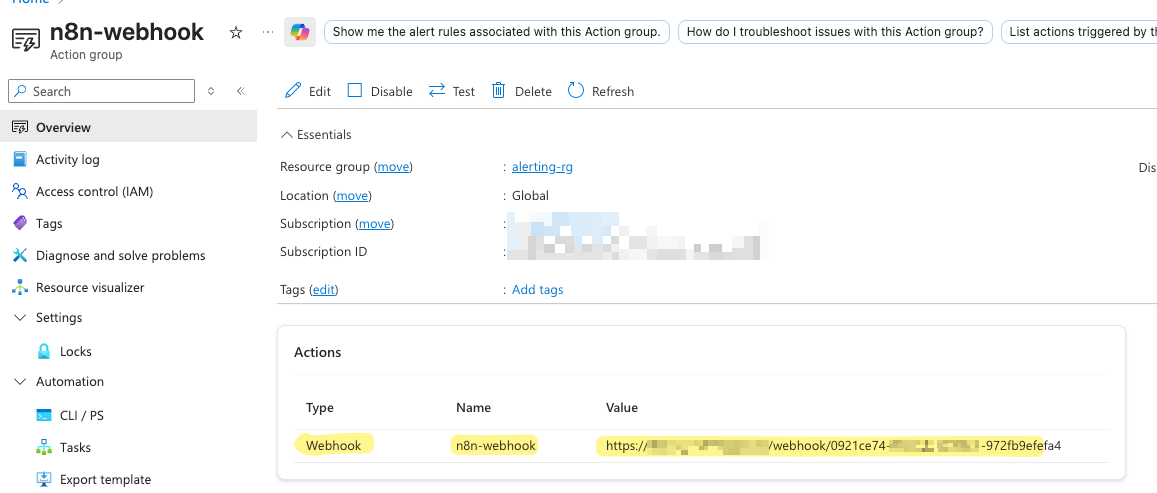
Action Group
We create an Action Group, with a defined Action to notify a webhook. Here we set the webhook URL from n8n.
Alert Processing Rule
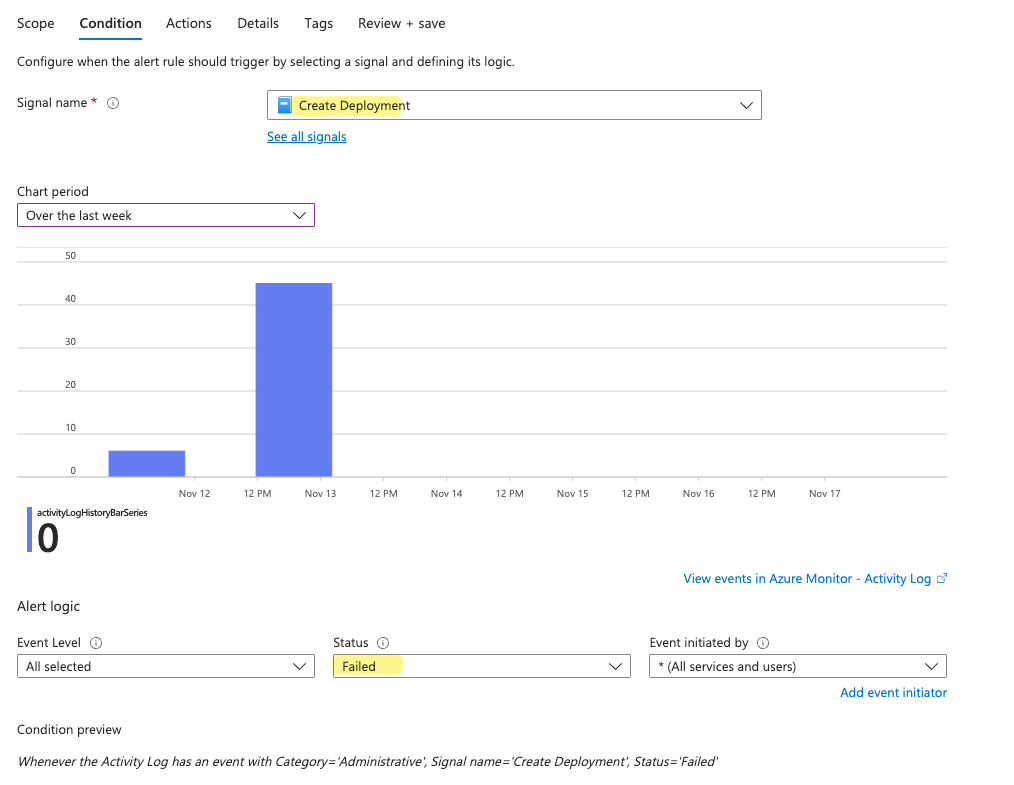
We then create an alert processing rule which listens to the signal Create Deployment and filteres for Failed
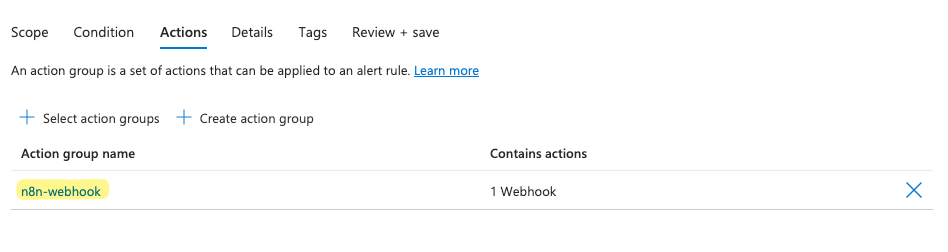
In the Actions we set the previously created Action Group, which will trigger the Webhook if that signal fires.
Entra App Reg / SP
App registration
We create a new app registration in the portal, this will be needed to give n8n access the deployment details. Those are not provided inside the webhook.
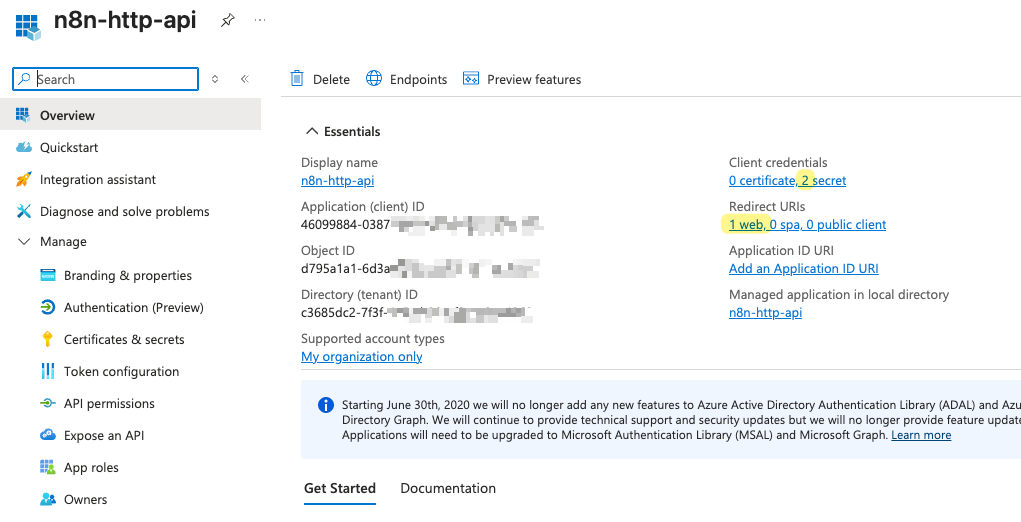
Create a Secret
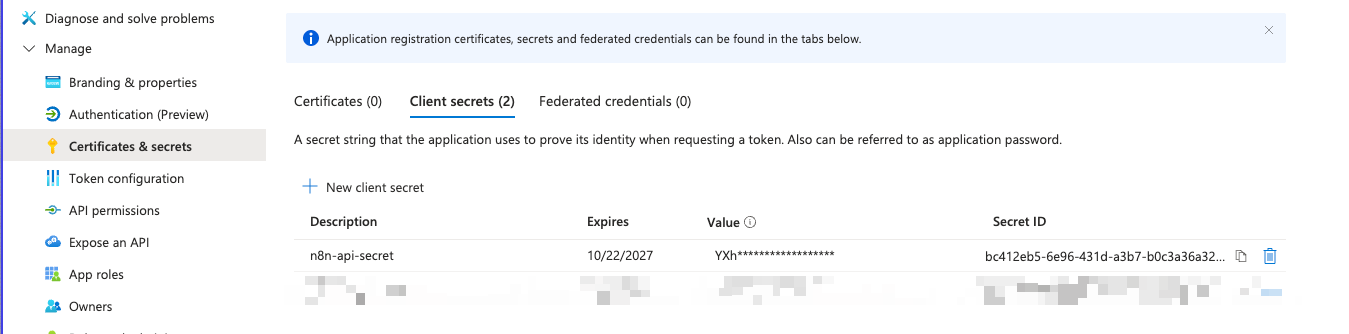
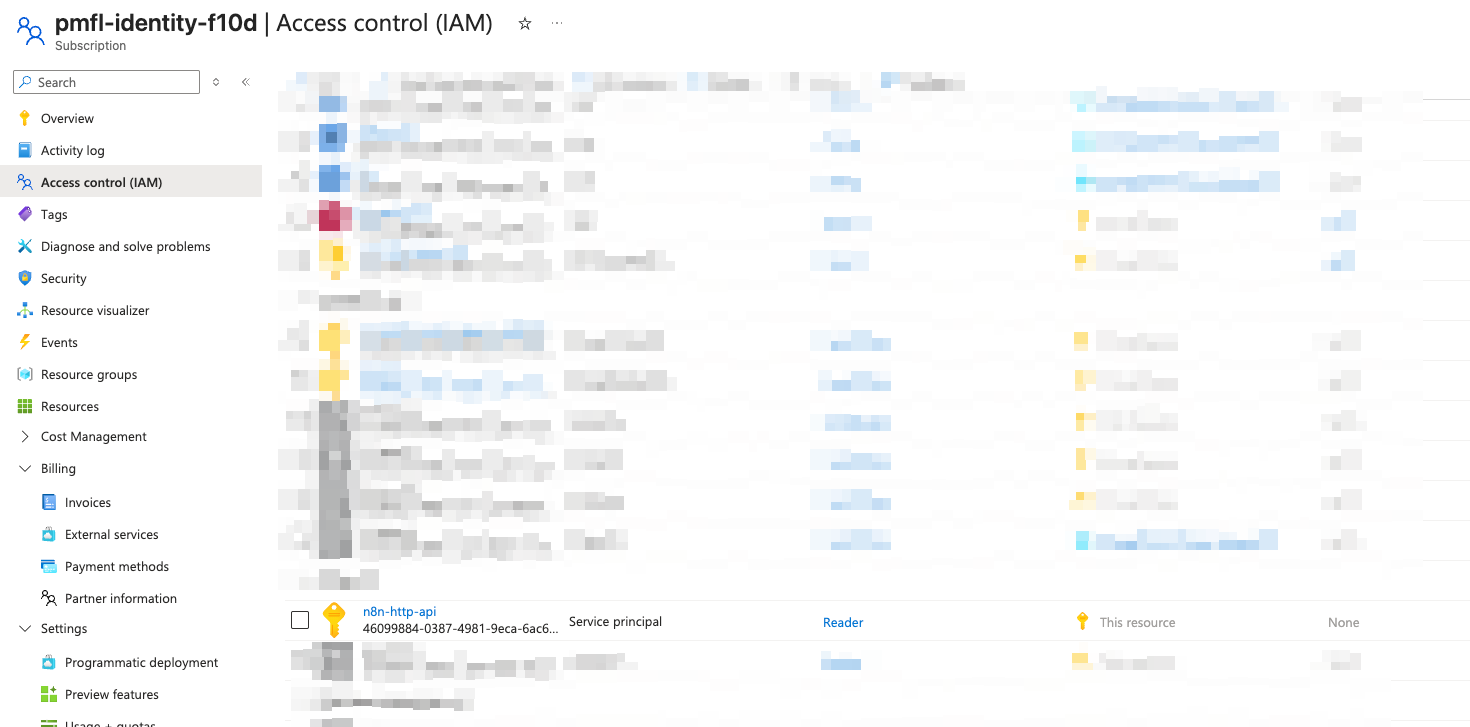
Add a Role Assignment for the SP
n8n setup
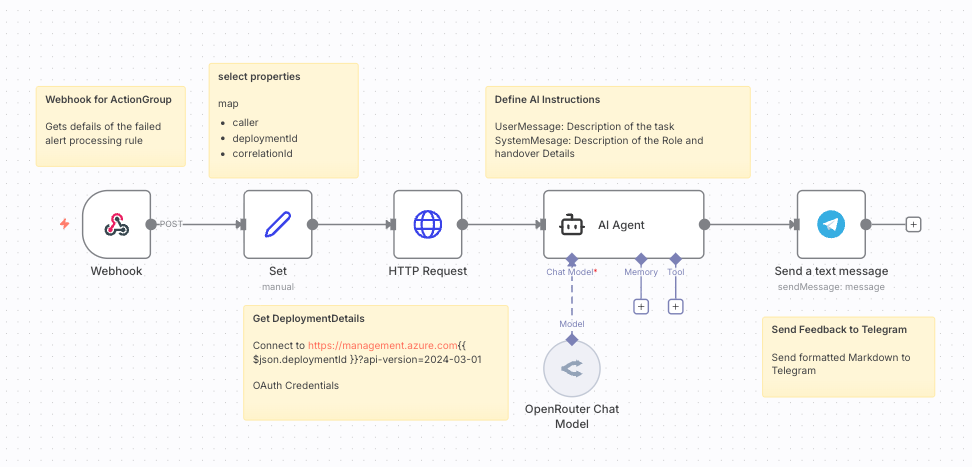
The n8n workflow is designed to execute immediately upon an Azure deployment failure, fetching necessary context and delivering a clear summary. Here's the streamlined breakdown of the steps:
-
Webhook Trigger: The workflow starts with a Webhook node, which acts as the endpoint for the Azure Action Group. This node is responsible for receiving the initial alert payload.
-
Set Node (Property Mapping): A Set node is used next to select and map essential properties from the incoming webhook data, specifically extracting the
caller,deploymentId, andcorrelationId. -
HTTP Request (Data Retrieval): An HTTP Request node, labeled "Get DeploymentDetails," connects to the Azure management API to retrieve the full context of the failed deployment. This step is crucial because the full details are not provided inside the initial webhook. It uses the previously extracted
deploymentIdand is authenticated via OAuth Credentials (using the Service Principal created in Azure). -
AI Agent (Summarization): An AI Agent node processes the retrieved deployment data. It's provided with Define AI Instructions (UserMessage and SystemMesage) to summarize the raw information into a clear description of the task, the failure's role, and handover details.
-
Send Notification: The final step uses a node (e.g., "Send a text message" or "Send Feedback to Telegram") to deliver the AI-formatted, actionable summary to the team using Markdown formatting.
Result and closing words
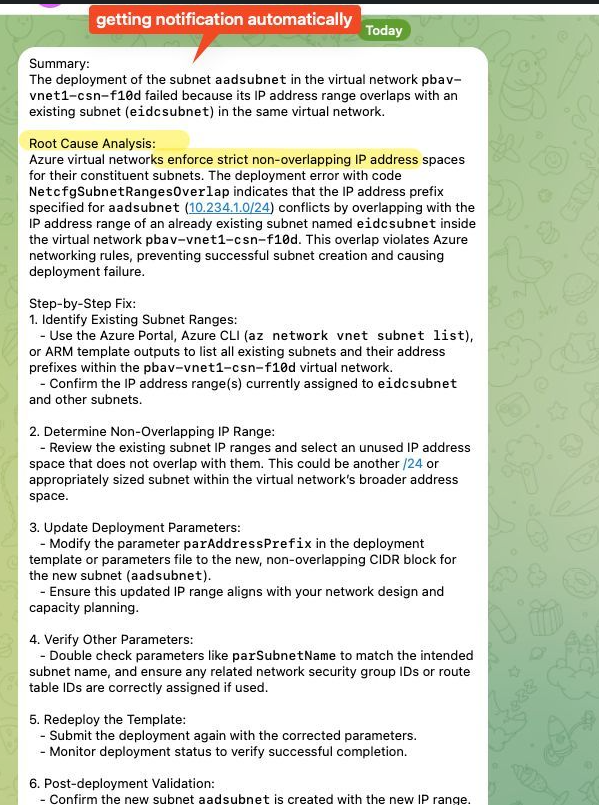
Telegram Notification
The workflow gives at the end a clear telegram message as output, which which helps narrow down the deployment error super easely, without bothering of checking the deployment details myself.
Closing Word
This workflow was really just an example on showcasing, how a small integration can quickly become timesaving and I built it to fit exactly my needs and as simple as possible.
Keep in mind, that solutions like this are fully flexible and every node and block and quickly be adapted. For example the final output could have been easely replaced with:
- An e-mail notification
- A teams notification
- An entry in a database like sql, postgres, airtable, supabase etc.
- This again could be the backend of a frontend website, automatically picking up the new data.
- Or even just creating a document and saving it on a server locally.