Updated 25 Sep 2026: the alert is an activity log alert rule, not an alert processing rule as I wrote first; links to the docs added.
A failed Azure deployment alert tells you that something broke. It doesn't tell you who deployed it, what failed or why. Finding that out means opening the portal, finding the deployment and reading the error. It takes about 20 minutes, and usually at a bad moment.
I wanted the alert to do that work for me. The result is a small n8n workflow: Azure calls a webhook when a deployment fails, n8n fetches the deployment details, an AI model summarises them, and I get a Telegram message with the cause and a fix. It has five nodes and solves one narrow problem.
From failed deployment to a Telegram message
- Trigger: an Azure Action Group calls an n8n webhook as soon as a deployment fails.
- Fetch context: the webhook payload doesn't include the error details, so n8n uses the deployment ID to call the Azure management API.
- Summarise: an AI agent (any chat model, I use one through OpenRouter) turns the raw deployment data into a short summary: who ran it, what failed, why, and what to change.
- Notify: the summary goes to Telegram as a formatted message.
Set up Azure: alert rule, Action Group, app registration
Alerting
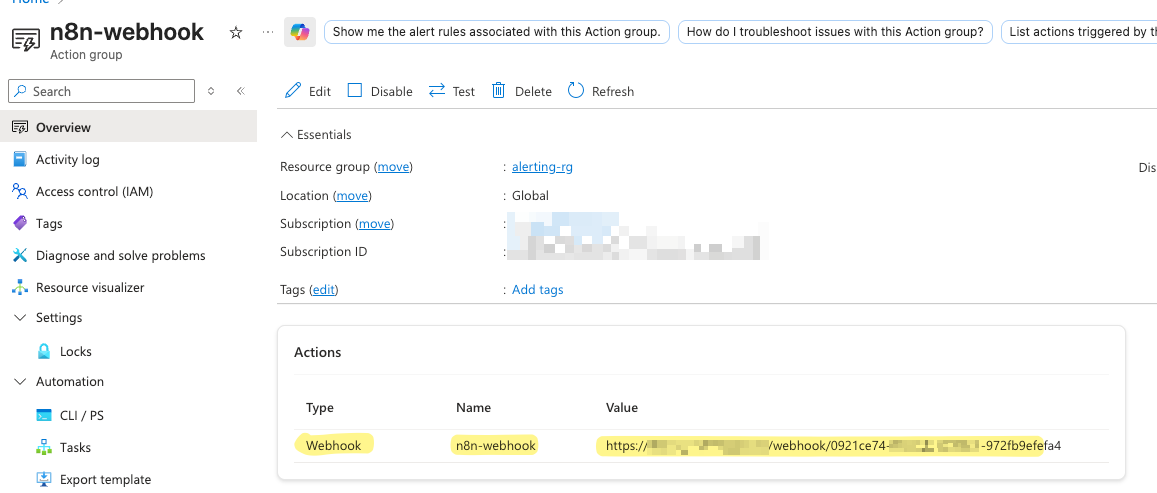
Action Group. Create an Action Group with one action: call a webhook. The URL is the one from the n8n Webhook node.
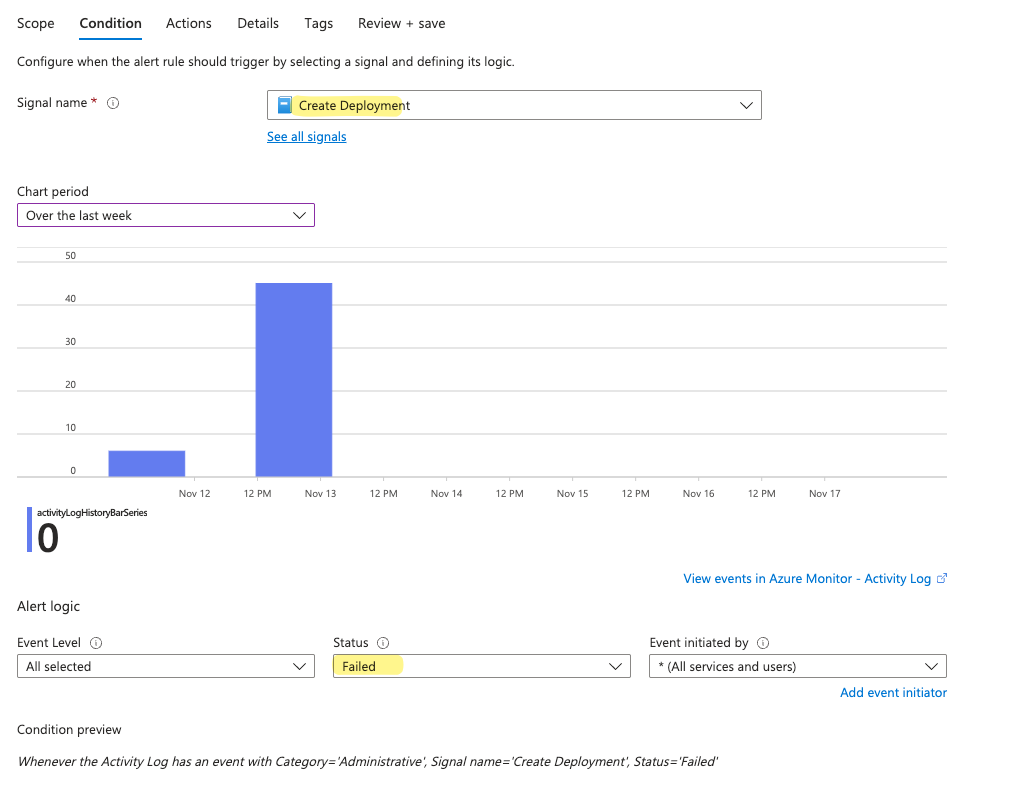
Activity log alert rule. Create an activity log alert rule on the subscription with the signal Create Deployment and the status Failed.
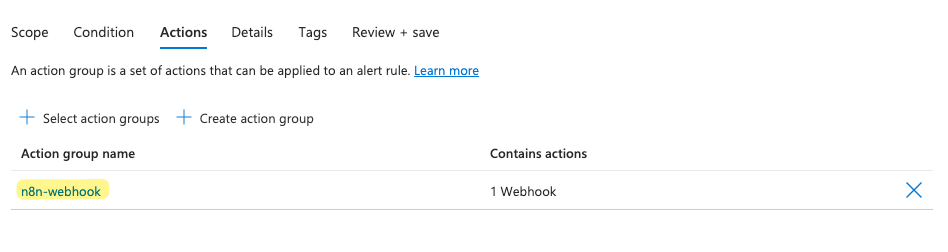
Under Actions, select the Action Group from the previous step. The webhook now fires on every failed deployment. You don't need an alert processing rule for this: those only add or suppress action groups on alerts that have already fired.
App registration for n8n
n8n needs read access to the deployment details, because the webhook doesn't carry them.
App registration. Create a new app registration in Entra ID.
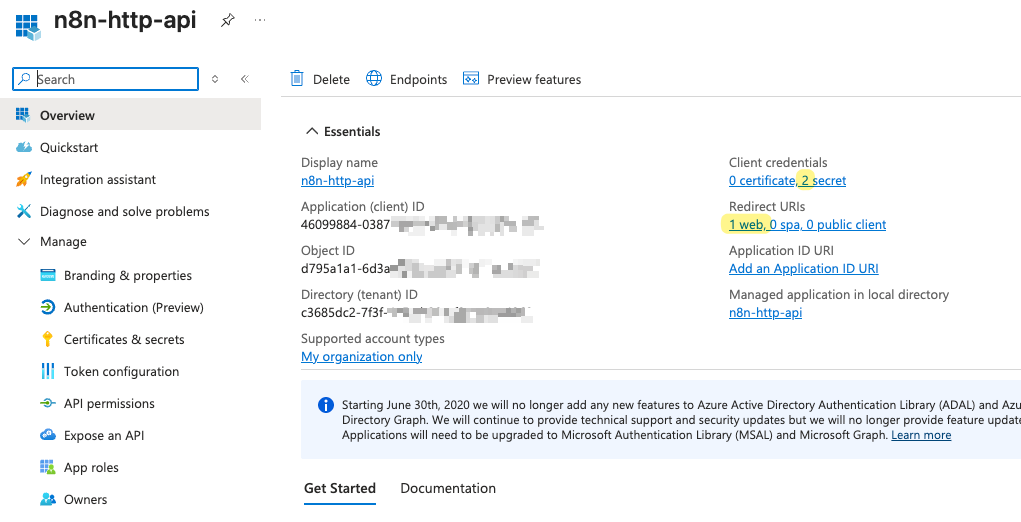
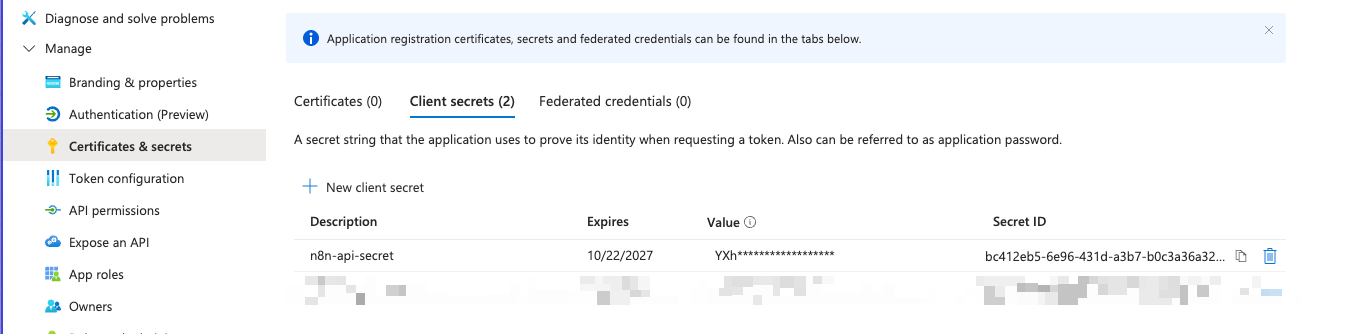
Client secret. Add a secret and store it in the n8n OAuth2 credential.
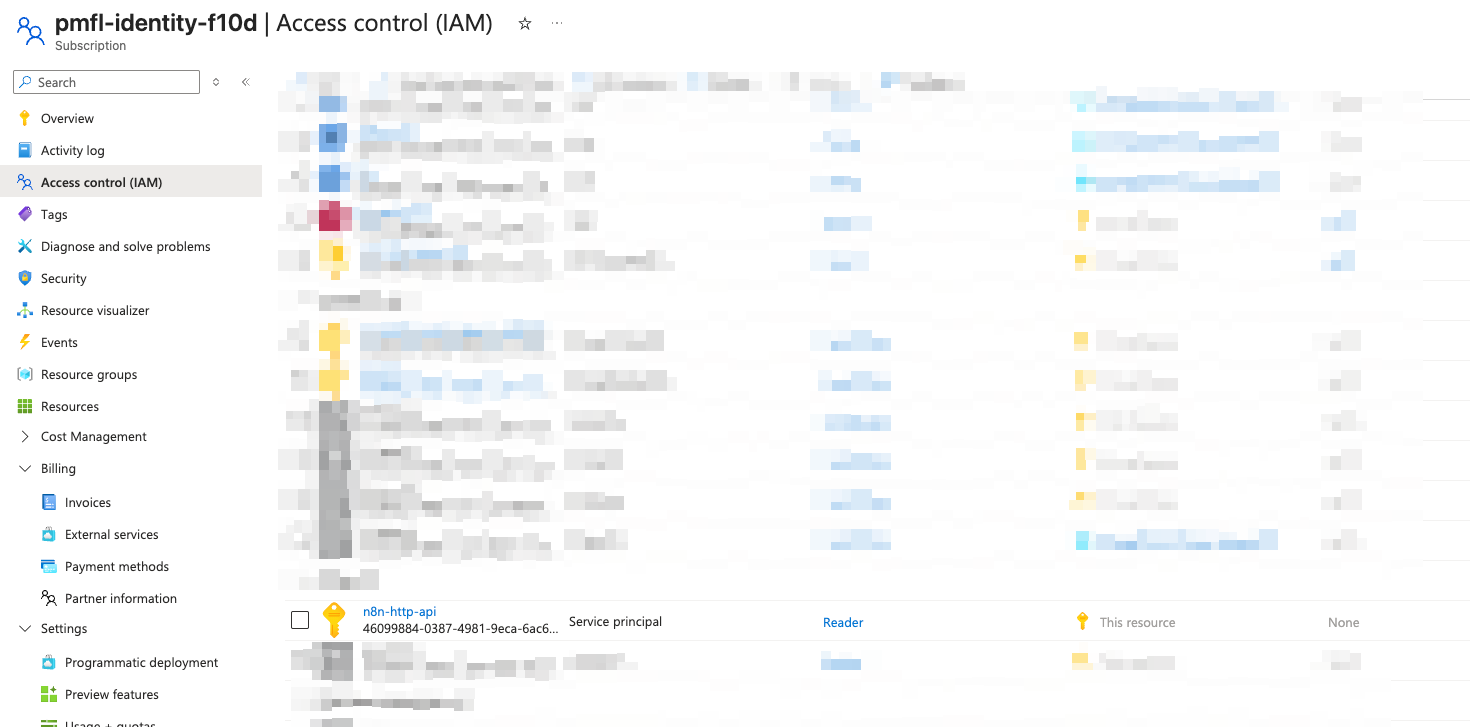
Role assignment. Give the service principal the Reader role on the subscription. Its */read permission covers deployments (Reader role).
Five n8n nodes: fetch the cause, summarise it, send it
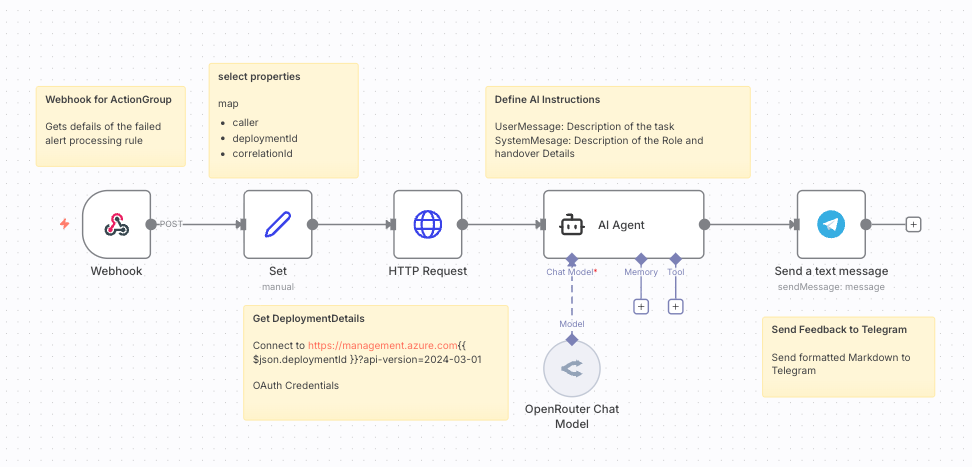
- Webhook. The endpoint the Action Group calls. It receives the alert payload.
- Edit Fields (Set). Picks the fields I need from the payload:
caller,deploymentIdandcorrelationId. - HTTP Request ("Get DeploymentDetails"). Calls the Azure management API (Deployments – Get) with the
deploymentId, authenticated with the service principal's OAuth2 credential. This returns the full error. - AI Agent. A system message and a user message tell the model what to produce: a summary, the root cause, and step-by-step fixes, in Markdown.
- Telegram. Sends the result to my chat.
A message that names the range and the parameter
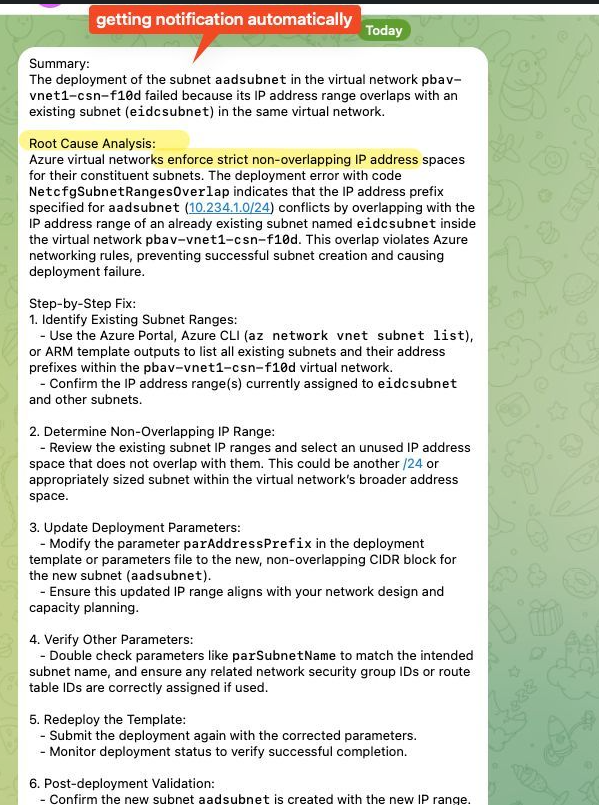
A failed subnet deployment ends up as this message. It names the overlapping address range and the parameter to change, so I rarely need to open the deployment in the portal.
Swap Telegram for Teams, email or a dashboard
I built this for one scenario and kept it as small as possible. The last node is the easiest part to swap:
- email or a Teams message instead of Telegram
- a row in a database (Postgres, Airtable, Supabase), which a simple dashboard can read
- a document on a file share
Know why an Azure deployment failed, sent to Telegram by n8n
A failed Azure deployment tells you that it failed, not why. An Action Group webhook, one API call and an AI summary in n8n turn it into a Telegram message that names the caller, the cause and the fix.